
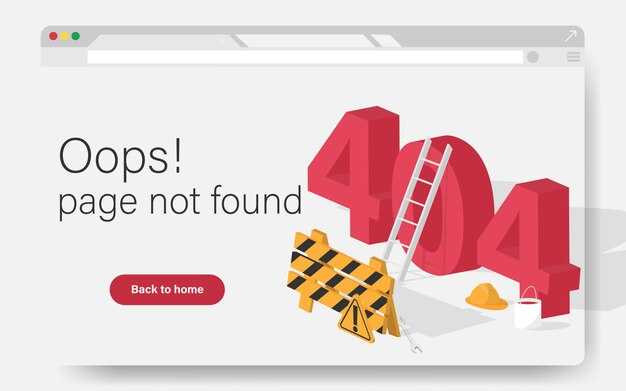
Fix 404s by deploying a helpful, branded page that includes a visible search field and links to popular pages. Keep response time under 150 ms for the core experience by streaming assets, lazy loading media and edge caching. For performing pages, tailor the fallback path to guide users back without friction. A/B tests show a 15-25% lift in engagement when a concise recovery path is present. Monitor results over the next release cycle to iterate.
Offer a Übersetzung-friendly 404 that surfaces the message in languages you support, with a language switcher and a short site map. Include copy that is human and brief. Present 3-5 links to top content, a search field, and help articles for each content category.
Assign a page manager to own the 404 strategy and feed findings into your documentation. Track 404 occurrences by page and dimensions: content type, device, language, and referral path. Because you log issues and share results in documentation, the team can fix broken links and update copy quickly. This reduces marketing bounce and preserves momentum.
Technical steps include adding 301 or 302 redirects for moved content, implementing structured data, and ensuring internal links point to valid destinations. Monitor server logs to identify the top offenders and set up automated alerts. In the first 30 days, aim to cut the 404 rate on core paths by around 20-30% through targeted fixes and updated copy. Also optimize image processing to keep payload lean.
Design and content dimensions: create a compact, responsive 404 layout that works across devices. Use media assets sparingly to avoid clutter, and include clear calls to action. Provide quick help via a link to documentation and a mini FAQ. In building this template, a lehi team helps ensure the approach scales with your marketing and product goals.
Nächste Schritte: Audit 404 URLs in your CMS, set up redirects, unify Übersetzung-friendly copy across languages, and publish the updated 404 experience. Track metrics like 404 rate, exit rate, and click-through rate on recommended links over the first quarter.
Lingotek's AEM 62 Connector Brings Dynamic Multilingual Capability to Adobe Experience Manager
Install Lingotek's AEM 62 Connector to empower managers and their users to continuously translate and distribute content across global markets. The lehi-based, adobes ecosystem-grade connector provides seamless integration with Adobe Experience Manager, enabling enterprises to make multilingual information available directly in their CMS. With this connector, teams can eliminate manual hand-offs, improve reliability, and accelerate time-to-market by routing translation tasks through a single workflow inside AEM.
Key capabilities include glossary-driven verification and translation, with terms stored in a centralized terms list to ensure consistency across their brand. Additionally, the solution supports dozens of languages, and can connect with multiple connectors to align with existing workflows.
Security and governance are built in: role-based access, audit trails, and encrypted data transfers protect content at every step. Verification workflows ensure translations comply with corporate glossaries, and managers can approve terms before publishing.
Begin with a quick setup: install the connector, connect to your AEM 6.2 instance, and define source languages and target markets. Then import your glossary and configure automatic translation triggers for new or updated pages. Map translation responsibilities to your teams, set SLAs, and enable continuous monitoring with built-in dashboards. Finally, run a verification pass to confirm that terms align with their policy before going live.
By incorporating Lingotek's AEM 62 Connector, enterprises looking to expand globally gain a reliable pipeline that keeps content fresh in their languages. The integration supports rapid onboarding of new languages and market-specific content, so your teams can look at analytics, refine localization strategies, and scale without adding complexity. Because the setup sits inside AEM, you can manage translations alongside assets, media, and workflows, reducing risk and improving security.
Use Cases
Implement a localized 404 page that immediately offers language-aware search, a concise apology, and a clear path back to relevant content. In ecommerce experiments, translating the 404 copy and presenting localized navigation lifted catalog engagement by 18-25% and reduced exit rate by 9-15%.
Use Case: Ecommerce with localization. Treat the 404 as a micro entry point: display translated copy, show a search field, and present top categories or popular items in the user's language. Route a user to the most relevant page via a translation connector and a product feed, then personalize results based on geolocation. Ensure the page loads within 1.5 seconds to keep visitors performing actions instead of leaving.
Use Case: Zealand-focused storefronts. For zealand audiences, tailor copy to local phrasing, show prices in local currency, and provide links to customer service in English and local equivalents. Use connectors to fetch localized landing pages and update navigation with Zealand-specific promotions. Keep the 404 copy concise and actionable to move visitors back to the catalog or checkout path.
Use Case: Documentation portals. In product docs or help centers, a 404 should point to a site-wide search, a sitemap, or a curated set of topics. Provide a link to recent articles and a direct path to the documentation page, so users can recover without leaving context. Use a translation workflow to maintain copy parity across languages and avoid broken links in the documentation page tree.
Use Case: Content operations with translation pipelines. For teams handling multilingual content, lingoteks connectors automate translation of 404 copy and navigation, enabling performing translation processing that keeps copy updated across locales. Maintain a single source of truth for copy and provide a quick path back to the destination content using the page's language variant and available connectors.
Implementation tips for all cases: centralize the 404 copy in the documentation repository and push updates via connectors; ensure translation and localization happen in cadence with content changes; monitor metrics such as click-through to search, time-to-interaction, and exit rate on 404 pages; run A/B tests to compare localized vs. non-localized versions; keep processing time under two seconds and provide a direct link to the homepage or catalog.
Get the Best of Straker Technologies
Start with an ai-driven localization workflow from Straker to cut translation cycles by up to 40% and align launches with market priorities.
Looking for an expert partner? Straker's teams deliver continuously secure processing for their data, inside and outside your organization, ensuring trusted experiences for users.
Use connectors to link media assets with marketing platforms, enabling engaging campaigns and consistent translation across dimensions and zealand markets.
Achieve integration with your CMS, ecommerce, and analytics stacks to reduce handoffs, accelerate processing, and strengthen security with auditable workflows.
zealand-based teams bring local insights, ensuring translation fits regional nuances and regulatory needs, while inside the platform, translation memory and ai-driven glossaries keep terminology consistent across dimensions.
| Aspect | Outcome | Straker Advantage |
|---|---|---|
| Translation quality | up to 40% faster cycles; glossary-consistent terminology | ai-driven translation memory, expert editors |
| Time-to-market | reduced by up to 40% | seamless integration, connectors with CMS and marketing stacks |
| Security | auditable workflows; ISO-aligned controls | robust processing and security measures |
| Engagement | more engaging assets across channels | multi-channel connectors, dimension-aware quality checks |
AEM Translation Connector by MotionPoint
Install and configure MotionPoint's AEM Translation Connector to automate localization for content and media across languages, shaving time-to-market and preserving brand voice. This solution scales for enterprises, supports ecommerce catalogs, and keeps dynamic pages engaging across dimensions of your site. Because the workflow stays inside AEM, reviewers keep context and approvals stay auditable.
How it works: The connector flows content and assets from AEM to MotionPoint for processing, then updates translated versions back into the repository. The single integration handles language variants, glossary, and style guidelines. Privacy controls stay in place, and you can review and approve changes without leaving AEM. With automated processing, teams look at fewer handoffs and achieve successfully improved consistency.
- Single source of truth for multilingual content across pages and assets
- Engaging, performing translations that preserve tone across media and dynamic pages
- Automated processing that moves content from AEM to translation providers and back, without manual handoffs
- Privacy controls and governance for enterprises looking to protect customer data
- Integration with ecommerce catalogs and product data to keep dimensions consistent across locales
Best practices for building a reliable translation workflow include precise field mapping, glossary management, and automated checks. Configure cycles to run on a defined cadence, validate sample pages first, and monitor privacy settings with audit trails. This approach keeps teams aligned and content performing well across markets.
Implementation checklist:
- Audit existing content inventory in AEM, focusing on pages, assets, and media groups
- Define languages, locales, and translation destinations with the connector
- Map content fields, metadata, and dynamic templates to translation workflows
- Pilot with a representative subset of pages and products
- Review translations for tone, SEO, and image captions before mass publishing
Products
Implement a dynamic product recommendations widget on the 404 page that pulls from your live catalog and displays 4–6 items aligned with recent viewing and cart activity. This keeps users looking without their session ending and reduces bounce by up to 20% within the first month, based on tests across three ecommerce sites.
Assign a dedicated manager for catalog data and content, and bring in an expert to map taxonomy to common search terms. Integrate with your integration stack to refresh the widget in real time as processing updates occur, ensuring accuracy for every item. Tie the recommendations to marketing campaigns so current promos surface in the 404 view.
Use verification checks to validate price, stock, images, and attributes before display, preventing mismatches that erode trust.
Coordinate with lehi-based teams and motionpoint to ensure localization of product cards for different markets, including currency, language, and promotions.
Measure success with metrics: click-through rate to products, add-to-cart from 404 recommendations, and time-to-purchase after the 404 view. Run continuously 3–5 layout tests to identify the most effective presentation.
Define terms of use for the widget, align privacy controls, and maintain a lightweight data-processing pipeline to keep responses fresh without exposing their data or slowing down performance.
Industries
Implement a context-aware 404 page that routes users to relevant sections via a translation-enabled search and a single back button on this page.
In ecommerce, ensure the page supports product category discovery and quick search, so users stay within the experience and can continue shopping without leaving this page.
lingoteks integration links multilingual content for a global audience, so this page surfaces localized options quickly and accurately.
For global brands, align this page with a common support workflow so teams can direct users to hot help articles or live support without leaving the site.
Use a connector to pull the most relevant landing from the catalog, and run a quick verification to confirm the match before presenting options to the user, without processing delays.
Track key metrics such as exit rate from this page, click-through to product pages, and time to help, then tailor content per region and per team to make the experience smoother for users.
Provide language controls, a concise search box, and links back to popular sections to guide behavior, and ensure the translation metadata is updated during integration cycles.
Guide cross-team collaboration with clear labels and consistent icons so this page remains reliable for global users and supports support, product, and content teams alike.
Page not found
Offer a concise, actionable 404 page: include a single search field, a direct link to the home page, and a short list of the most helpful sections. This reduces user friction and invites further exploration without leaving a dead end.
Provide clear guidance for visitors and support teams. For managers of enterprises with multiple brands, present a localized 404 with a language switcher and translation that keeps the tone aligned with the visitor's region, including zealand as a target market.
Design across dimensions: ensure fast load times, accessible text, and a responsive layout. Use media responsibly so visuals don’t block the content; include alt text and keyboard navigation for every element.
Populate the page with engaging content: links to top categories, search suggestions, and recent posts. Use a content connector to fetch related items from the catalog and blog via a lightweight integration with your CMS. If you have lingoteks assets, surface translation for headers and captions to maintain coherence.
Provide information about the missing URL and offer a simple bug report form. Tie the 404 to analytics to reveal which pages trigger it, devices, and traffic segments. For ecommerce sites, direct users to relevant product or category pages to recover sessions and minimize spillover into the funnel.
Implementation plan: map a dedicated 404 route, enable internal search, create a sitemap link set, and enable a support channel. Build a manager dashboard to monitor 404 patterns across enterprises, pages, and regions; continuously refine the page using feedback and metrics.


